


From applicant pile to explainable shortlist
CVShelf turns a job description and a batch of resumes into a ranked, reviewable shortlist. Keep your criteria visible at every stage, from upload to outreach, without manual sorting.
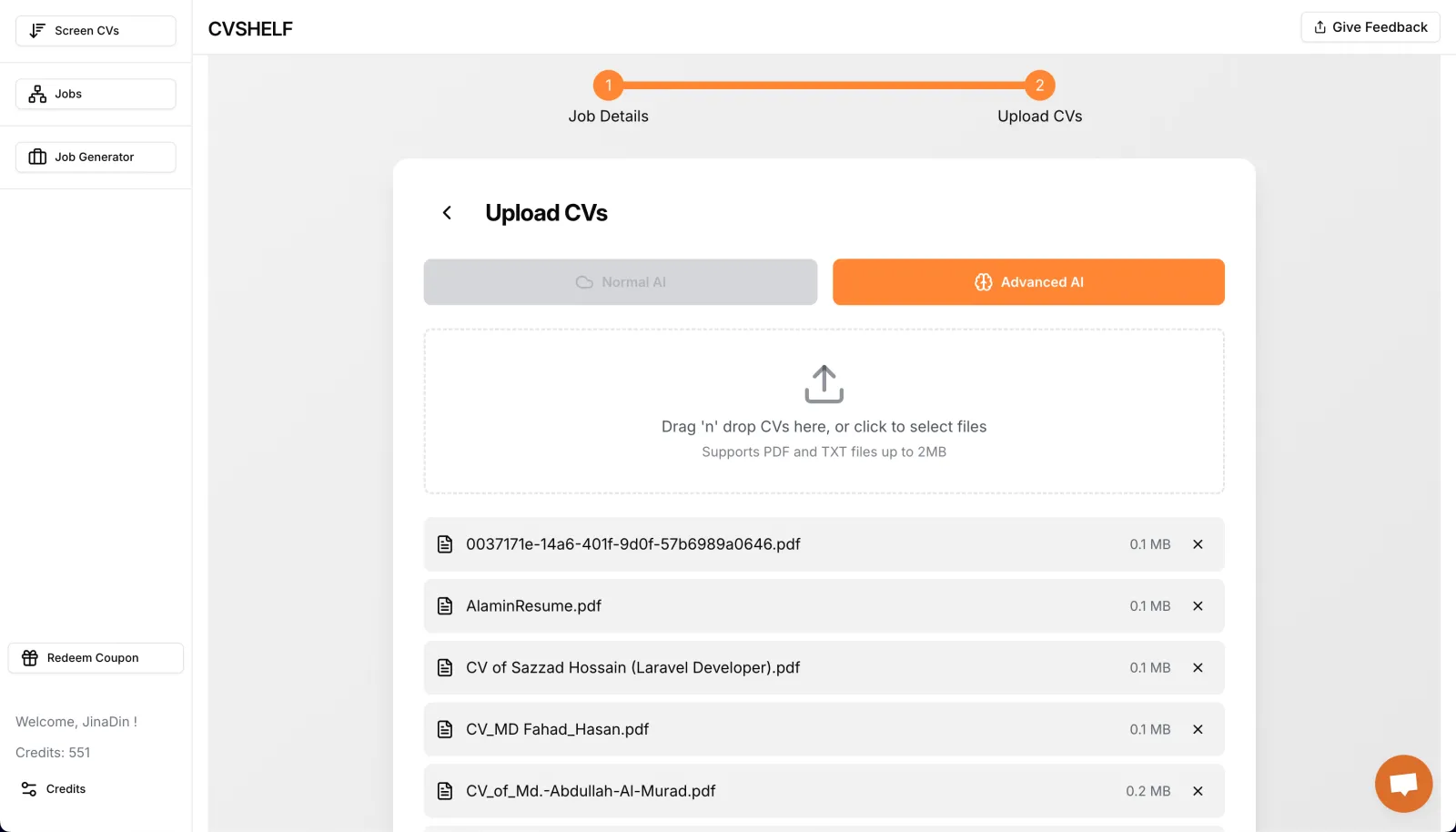
1. Upload or import applicants
Upload PDF, DOC, or DOCX resumes, or import applicants from supported sources such as LinkedIn and BDJOBS.

2. Define the role and criteria
Set the skills, experience, education, location, and custom criteria that matter for the role.

3. Let AI parse and score candidates
CVShelf extracts skills, experience, education, and qualifications, then compares each resume with the job requirements.

Review explanations and build a shortlist.
-
 Review candidate scores and ranking explanations
-
Compare candidates against the same job criteria
-
Keep final hiring decisions with your team
Output: A defensible, explainable shortlist
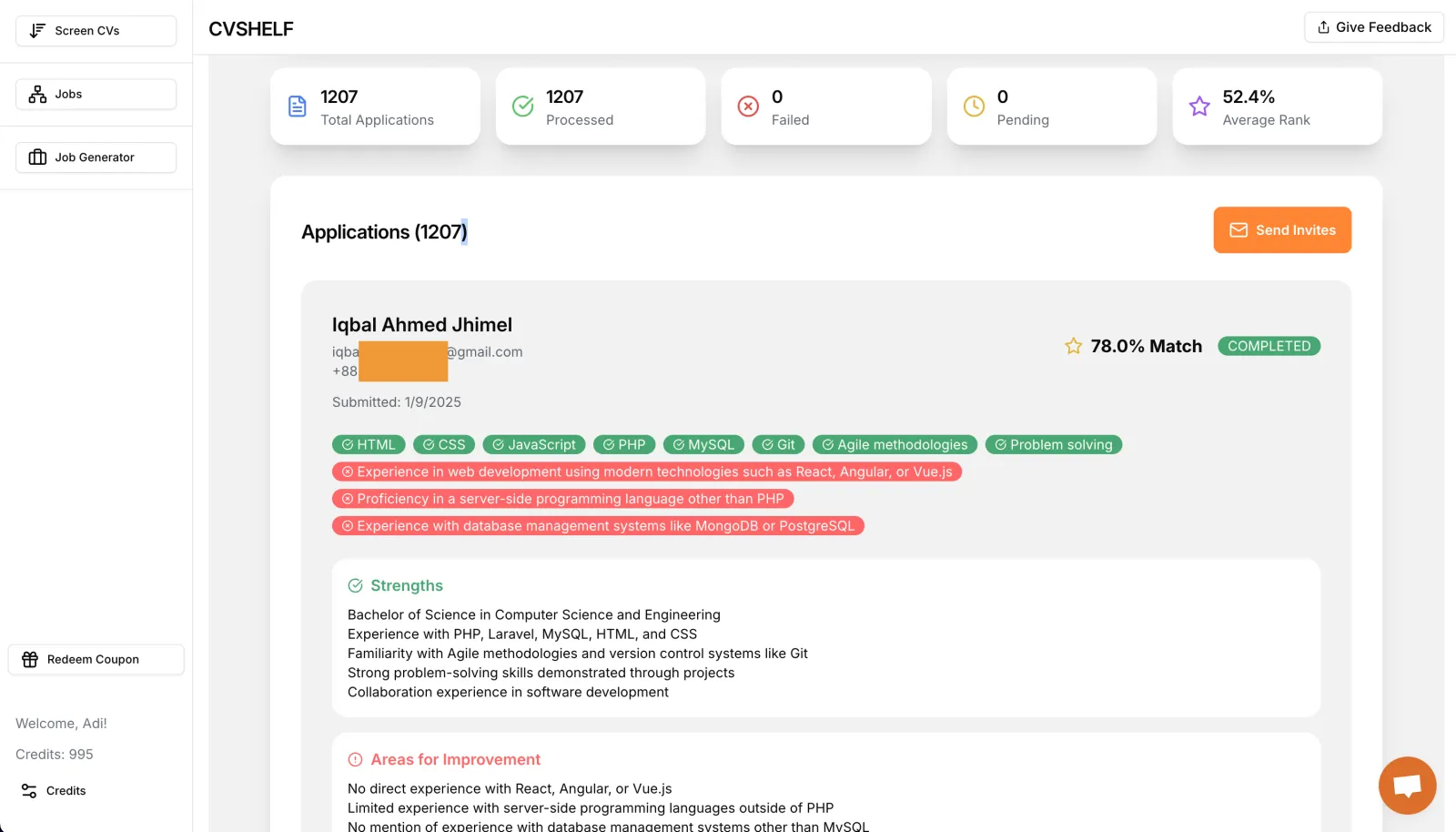
Send outreach or export reports.
-
Send automated outreach to shortlisted candidates
-
Manage candidate actions in batches
-
Share detailed reports with clients and teammates
-
Move from screening to interview planning faster
Built for real hiring workflows.
-
Process batches in the background while you work
-
Screen one CV per credit with clear usage expectations
-
Start with a free screening account
Output: Faster, more consistent candidate review
Ready to screen your next applicant batch?
Start screening freeUpload your resumes, define the role, and get a ranked shortlist with the reasoning behind every score.