
How to Screen Resumes Faster Without Missing Top Candidates
If resume screening is eating your week alive, you're not imagining it. The average recruiter spends 23 hours reviewing resumes for a single role. That's more than half a standard work week, in one position.
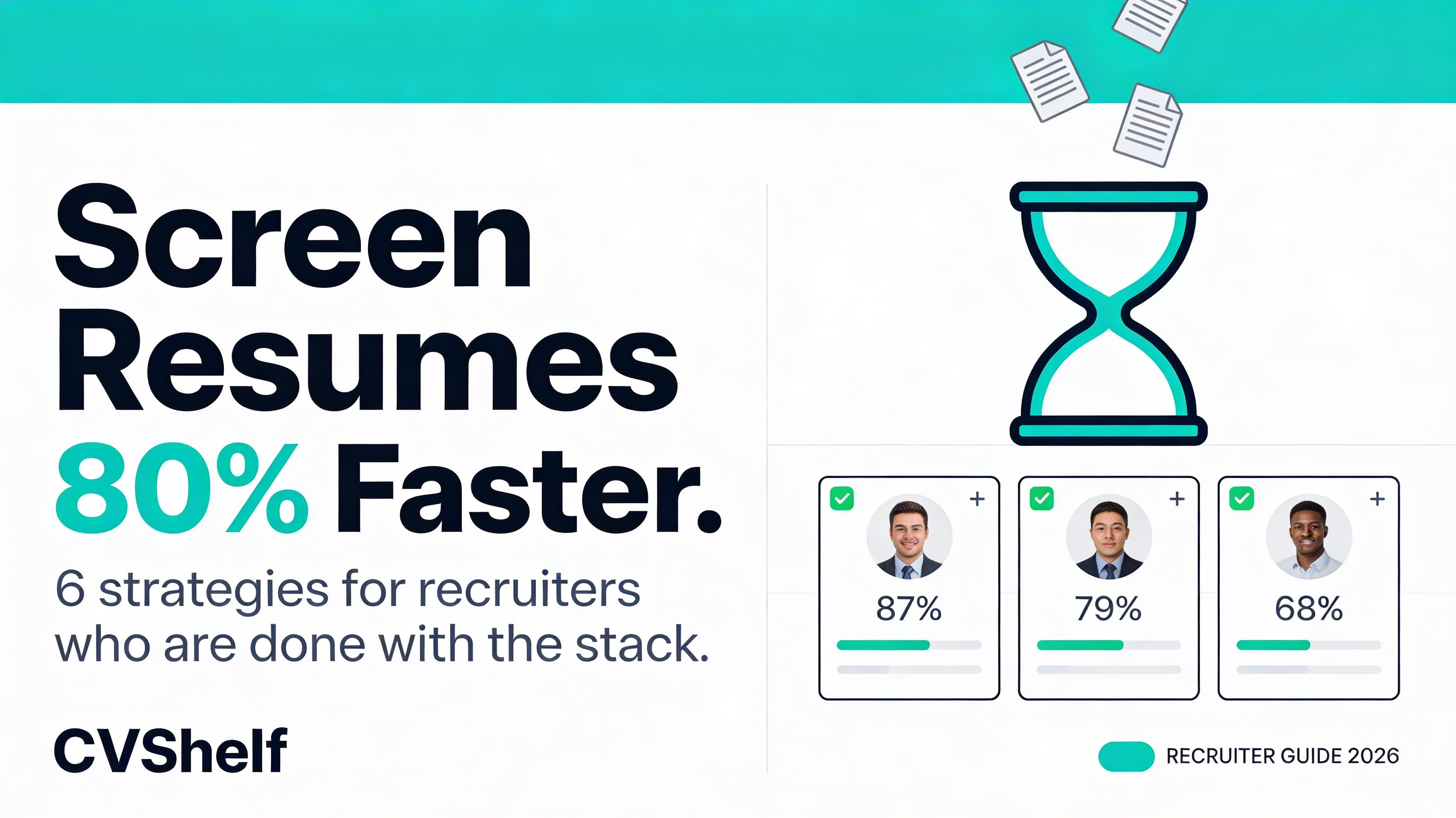
If resume screening is eating your week alive, you're not imagining it.
The average recruiter spends 23 hours reviewing resumes for a single role. That's more than half a standard work week, on one position. Scale that across three open roles simultaneously, which is typical for most in-house recruiters, and the math gets brutal fast. You're looking at 60+ hours of resume review per week before you've made a single phone call.
Put a dollar figure on it. At a median US recruiter salary of $62,000 , roughly $30 per hour , 23 hours of screening per role costs your organisation around $690 in recruiter time. Per opening. Per hire. For a company filling 20 roles a year, that's $13,800 spent purely on reading CVs. Not interviewing. Not closing. Reading.
And here's the part nobody talks about: that time investment doesn't guarantee better hires. It just guarantees exhaustion.
The goal isn't to screen harder. It's to screen smarter. Here are six methods that cut screening time significantly , without burying the candidates who actually deserve an interview.
Why Traditional Resume Screening Is So Slow
Before fixing the problem, it helps to understand exactly where the time goes.
Everything is manual. Most recruiters open applications one by one, read each resume top to bottom, make a mental note, close it, open the next. There's no structure. No scoring. No system. Just a recruiter and a pile of PDFs.
There's no scoring framework. Without a rubric, every resume requires the same cognitive effort. You're making a fresh judgment call each time. That takes longer than checking criteria against a defined standard.
Cognitive load compounds over time. Decision fatigue is real and well-documented. Resume #15 gets more scrutiny than resume #85 , not because it deserves it, but because your brain has run out of bandwidth. Later candidates get skimmed. Good ones get missed.
Interruptions fragment the process. When screening happens across multiple sessions , a few resumes in the morning, a few after lunch, a few between meetings , context gets lost. You re-read resumes you've already seen. You lose track of where the bar was set.
Rejection communication is manual. After screening, someone still has to send rejection emails. If that's the same recruiter who just screened 150 applications, it adds another hour of admin on top of an already exhausting process.
Fix the process, and the speed problem largely fixes itself.
6 Ways to Screen Resumes Faster
1. Define Your Must-Have Criteria Before Opening a Single Resume
Time saved: 30–40% reduction in per-resume review time.
This is the highest-leverage change you can make, and it costs nothing.
Before the applications come in , ideally before the job post goes live , write down your non-negotiables. Not a wish list. Non-negotiables. Three to five criteria that, if missing, mean the candidate cannot do the job regardless of everything else on their resume.
For a Senior Account Executive role it might be: minimum 3 years in B2B sales, demonstrable quota attainment, experience selling to mid-market. That's it.
Now when you open each resume, you're not evaluating it holistically. You're checking three boxes. If the boxes aren't checked, the resume is done. If they are, it moves to deeper review. The average per-resume time drops from 6–7 minutes to under 2.
Write your criteria on a notepad or sticky note before you start. Keep it visible. Don't revisit it mid-session. Consistent criteria = faster, fairer decisions.
2. Use a Scoring Rubric Instead of Binary Pass/Fail
Time saved: Reduces re-review time by up to 50%.
Pass/fail decisions feel decisive in the moment but create problems later. When your hiring manager asks why a candidate made the shortlist, "they seemed solid" isn't an answer that holds up.
A scoring rubric fixes this. Assign point values to each criterion , experience match, skills alignment, industry background, career progression, communication quality in the resume itself. Score each candidate as you go. The total score tells you where they sit relative to the full pool.
The practical benefit beyond accountability: you stop second-guessing yourself. You don't re-read resumes you already scored. The number is the decision. Move on.
A simple 1–3 scale per criterion (1 = doesn't meet, 2 = partially meets, 3 = meets or exceeds) is enough. Keep it fast. The goal is a defensible shortlist, not a performance review.
3. Batch Process Instead of Reviewing One at a Time
Time saved: Eliminates 20–30 minutes of daily context-switching.
Scattered screening is slow screening. If you're reviewing five resumes between meetings, closing your laptop, coming back three hours later, reviewing eight more , you're rebuilding context every time you return. That overhead adds up.
Block dedicated screening time. Two uninterrupted hours is worth more than four fragmented ones. Close Slack. Silence notifications. Tell your team you're in a screening block.
Within that block, work through a set batch , say, 30 resumes , before stopping. Don't sort into maybe/no/yes as you go and then revisit the maybes. Make a decision on each resume once, score it, move on.
Batching doesn't just save time. It produces more consistent decisions because your evaluation standard stays calibrated across the whole group rather than drifting session to session.
4. Use AI Ranking Tools for First-Pass Screening
Time saved: 70–80% reduction in first-round screening time.
This is the biggest lever. [LINK: how AI resume ranking works]
AI screening tools , specifically those built on semantic matching rather than keyword filters , read every resume in your applicant pool and rank candidates by actual role fit. Not by whether they used the right buzzword, but by whether their experience, skills, and career trajectory match what the job actually requires.
The practical impact: instead of reviewing 200 resumes yourself, you review the top 20 the AI has already ranked and explained. You're not skipping your judgment; you're applying it where it matters, on candidates who've already cleared the first bar.
For a role that would normally take 8 hours of screening, a well-configured AI tool typically reduces that to under an hour. The candidates in the bottom half of the ranking aren't getting skipped unfairly; they're getting evaluated by the same criteria as everyone else, just at machine speed.
5. Run a Blind First-Pass Review
Time saved: Indirect, reduces re-work from challenged shortlists.
Blind screening, removing names, photos, and occasionally universities from the first-pass review, is primarily a fairness practice. But it also has a speed benefit: it keeps your focus on the criteria that actually matter.
When you see a name, a photo, or a prestigious university logo, your brain starts building associations, positive and negative, that aren't on your criteria list. Those associations require mental energy to process and sometimes to override. Blind screening removes that friction entirely.
It also produces shortlists that are easier to defend. When a hiring manager or HR director asks why a particular candidate wasn't included, "they didn't meet the criteria" is more robust than anything that could be influenced by visible demographics.
Tools like CVShelf evaluate skills and experience rather than on factors that shouldn't affect the decision. That's not just ethical. It's efficient.
6. Automate Rejection Emails
Time saved: 45–90 minutes per role.
Rejection emails are necessary. Candidates deserve a response. But writing individual rejections for 150 applicants is not a productive use of a recruiter's afternoon.
Set up two or three templated rejection emails, one for immediate rejections (missing must-have criteria), one for candidates who made it further but weren't selected, and optionally one for roles where you'd like to keep someone in a talent pool.
Most ATS platforms support templated rejections triggered by status changes. If yours doesn't, a simple Gmail template or Outlook Quick Parts takes ten minutes to set up and saves hours per hiring cycle.
The email doesn't need to be elaborate. Clear, respectful, and prompt is what candidates actually want. [LINK: reduce time to hire]
How CVShelf Cuts Screening Time Without Cutting Corners
CVShelf is built specifically around the screening bottleneck. It combines the methods above , particularly AI ranking and explainability , into a single workflow that works whether you're processing 50 resumes or 500.
Bulk upload: Drag and drop your entire applicant pool in one go. CVShelf processes every file in the batch simultaneously. No waiting for one to finish before the next starts.
Instant AI ranking: The AI engine parses every resume and ranks candidates against your job requirements. It reads semantic meaning, not just keywords , so a candidate with "client relationship management" on their resume won't be missed because your job description said "account management."
Explainable scores: Every ranked candidate comes with a breakdown, what matched, what's missing, and why they placed where they did. You're not accepting a black box decision. You're reviewing a reasoned recommendation. Your shortlist is defensible from day one.
The real-world result: A role that previously required a full working day of screening, eight hours across two sessions, second-guessing, re-reading takes 45 minutes. Twenty minutes to upload and configure, twenty-five minutes to review the ranked shortlist and make your selections.
That's not a rounding error. That's most of your week back.
Stop Screening. Start Selecting.
The difference between a recruiter who's drowning and one who's effective usually isn't talent or experience. It's a process.
Screening 200 resumes manually isn't rigorous. It's just slow. The best candidates don't always have the most impressive-looking resume at first glance , they have the right skills, the right experience, and the right fit. Finding them requires a consistent, criteria-driven process applied equally to every application. Not a tired recruiter skimming page four at 5 pm on a Thursday.
The six methods above, starting with clear criteria and ending with automation, can reduce your screening time by more than half without compromising quality. Add an AI ranking tool, and that reduction goes further.
Try CVShelf free , screen 500 resumes in minutes at cvshelf.com.
Keep Reading
More from AI Resume Screening.
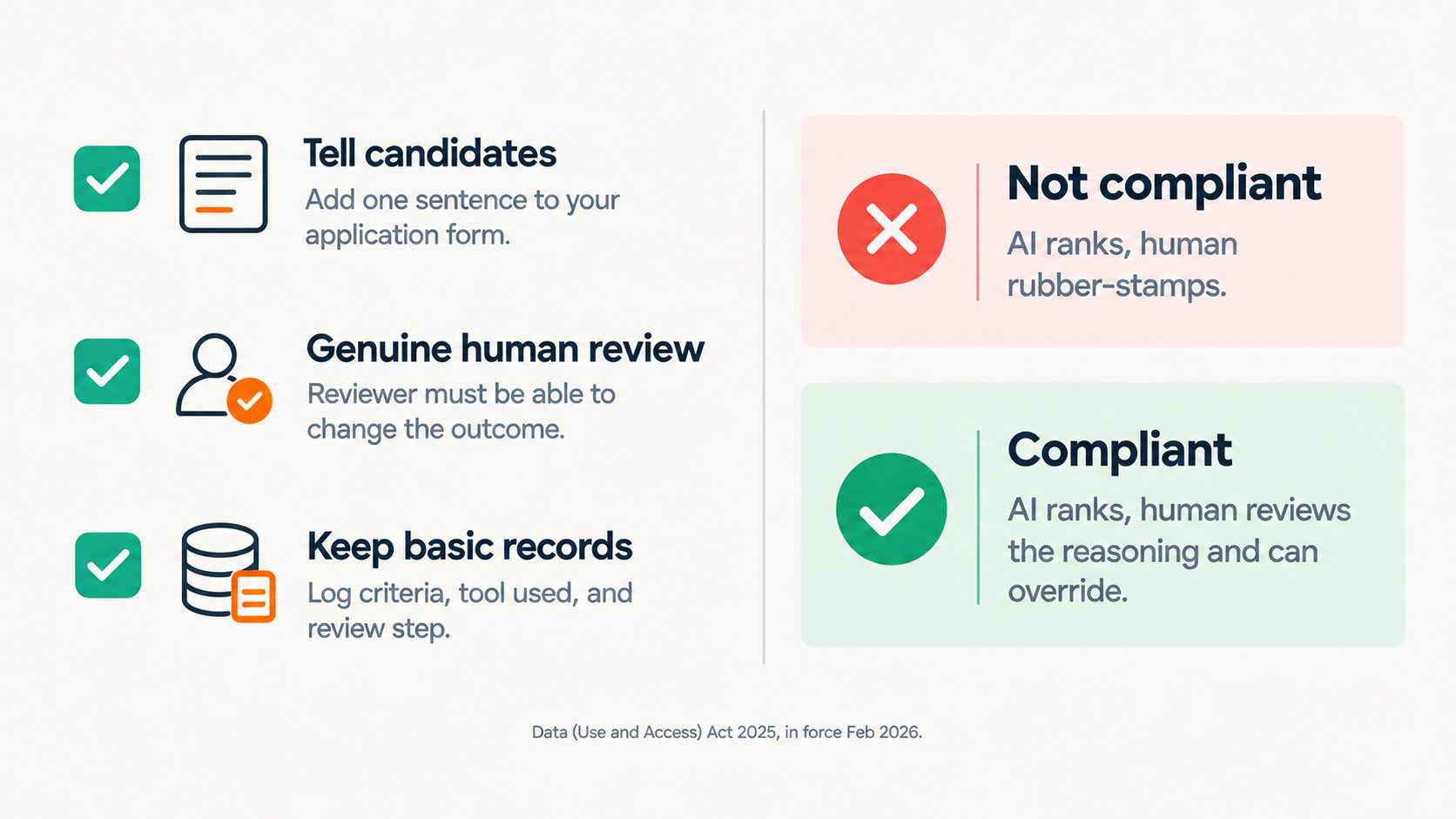
CV Screening Software and UK GDPR
Using CV screening software in the UK means operating under UK GDPR's rules.
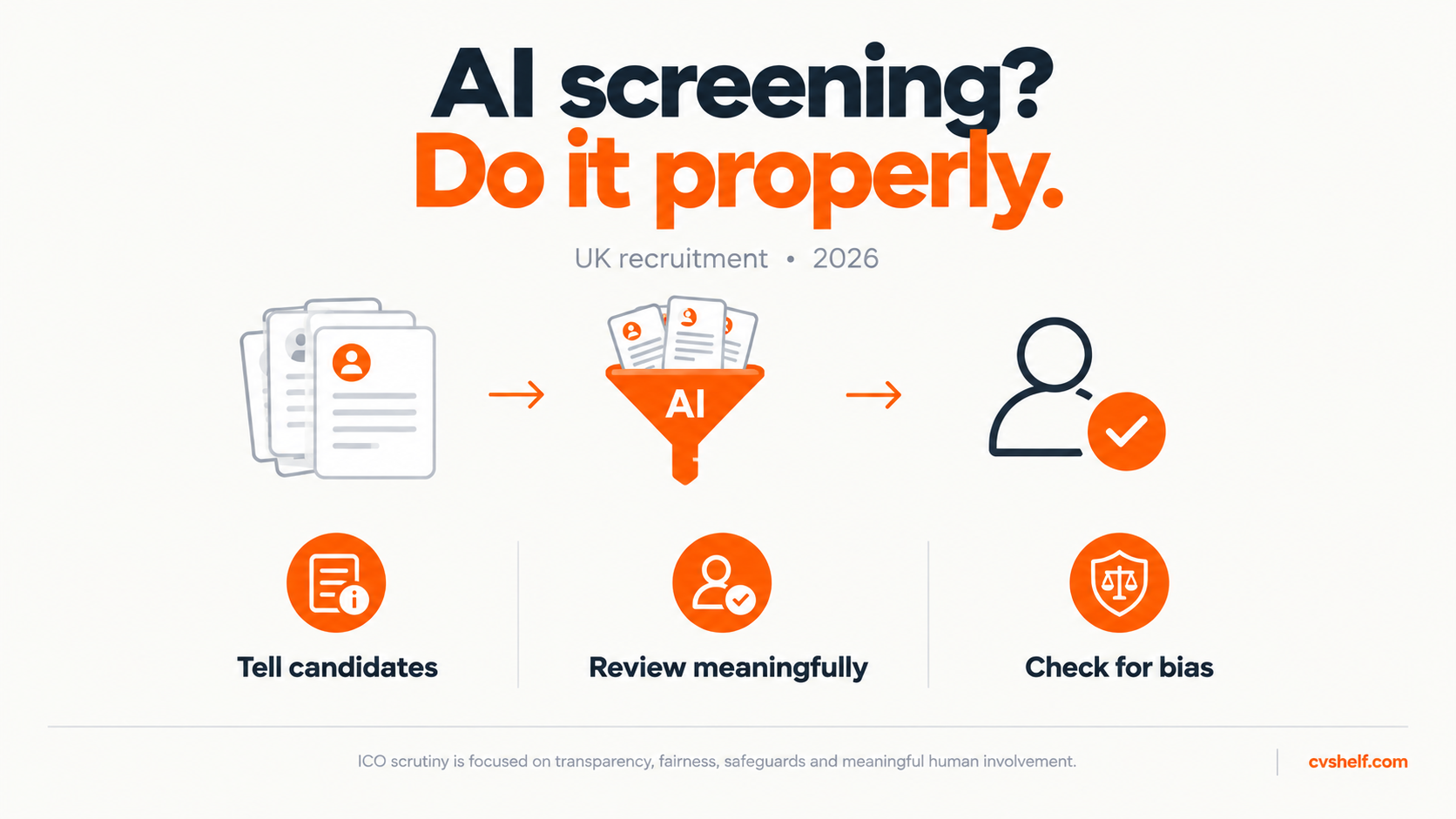
GDPR and AI Hiring for UK Marketing Agencies
Using an AI tool to screen CVs at a UK marketing agency brings you under UK GDPR's rules on automated decision-making.
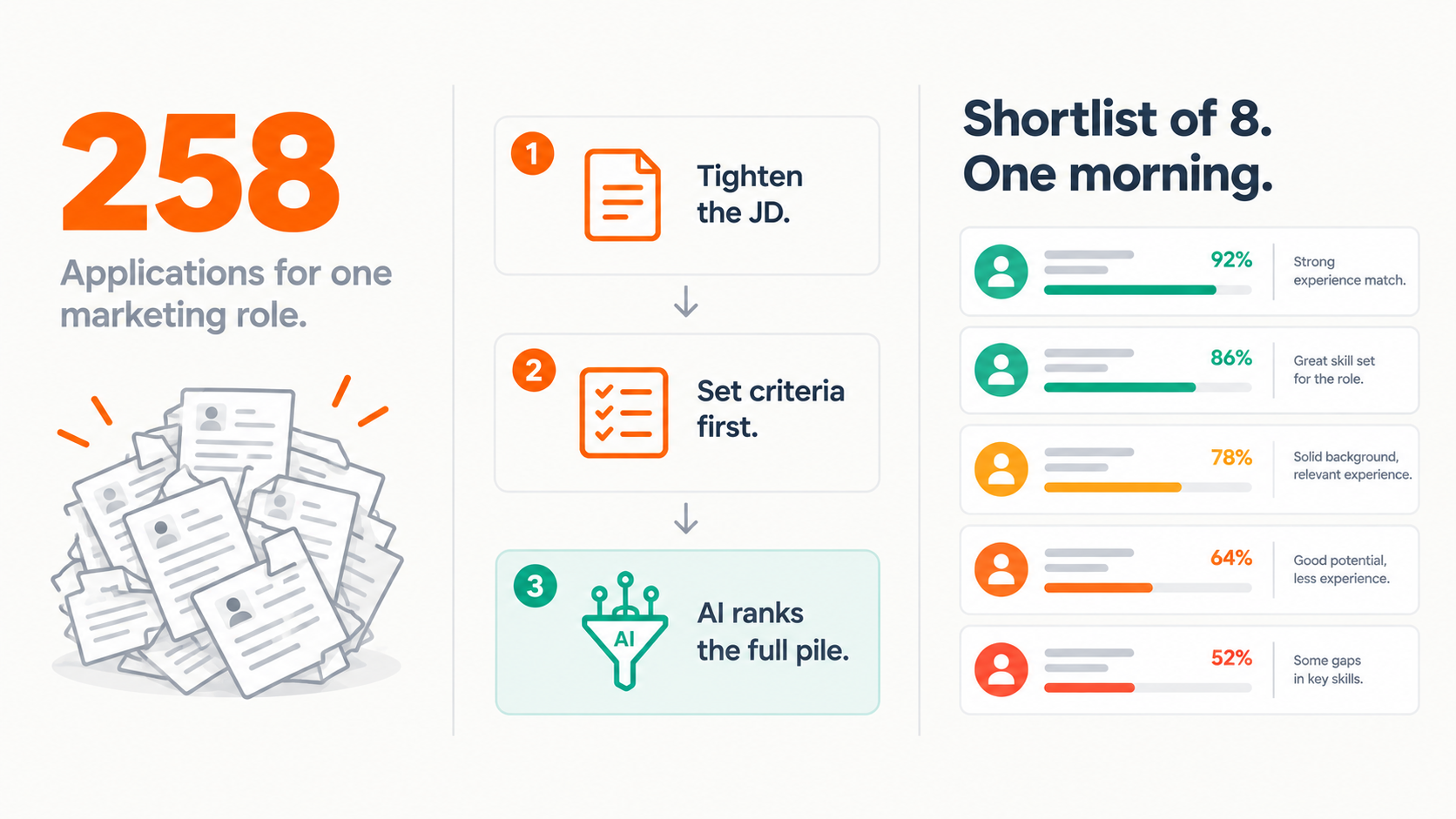
Too Many Applicants for a Marketing Role?
Marketing job posts are getting 200+ applicants and most agencies can't screen them properly