AI Resume Screening Disclosure Law California
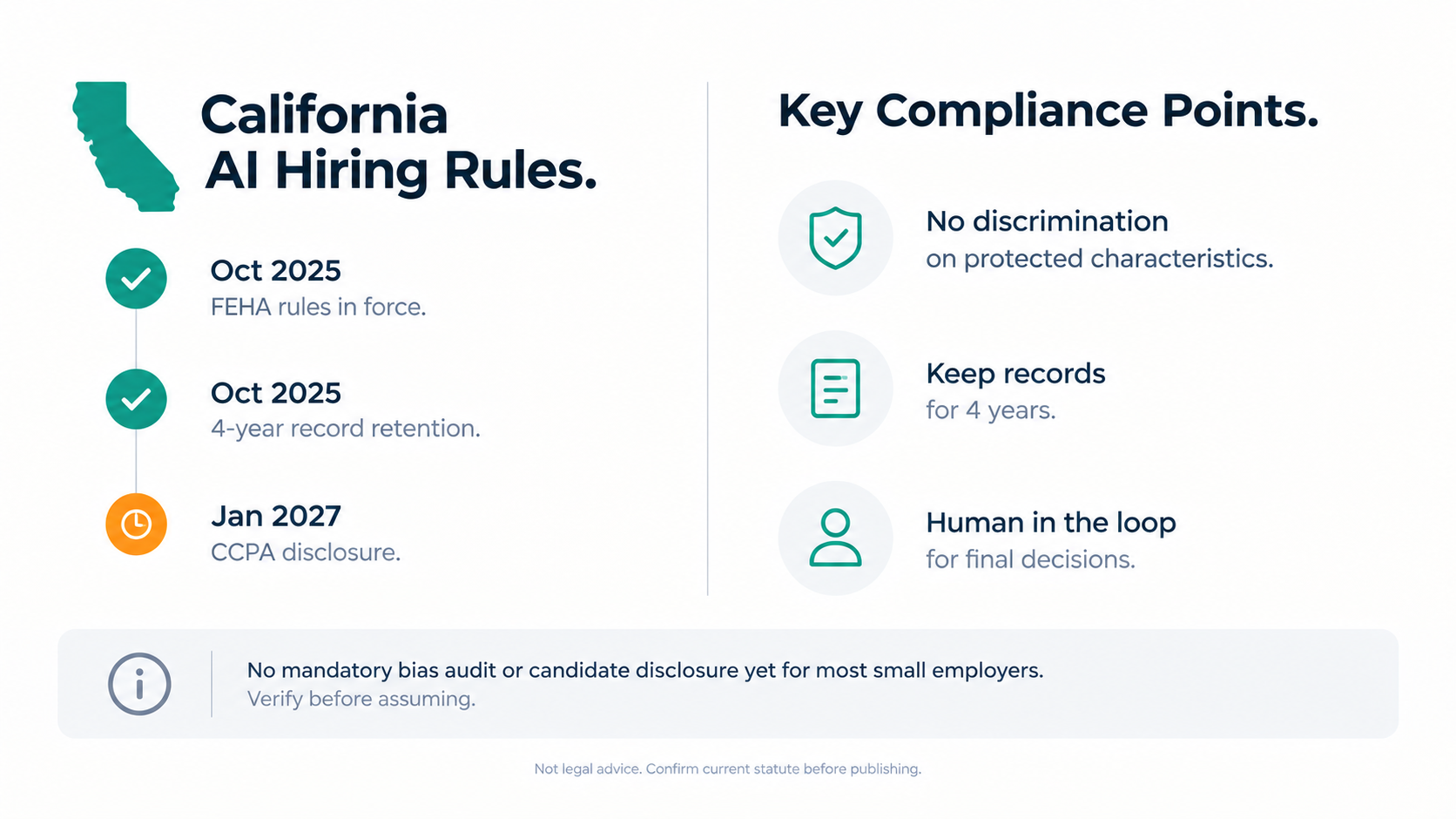
California does not currently require employers to disclose to candidates that AI resume screening.

The Journal
Product updates, workflow guides, and notes on how CVShelf screens, scores, sorts, and ranks resumes.
California does not currently require employers to disclose to candidates that AI resume screening.
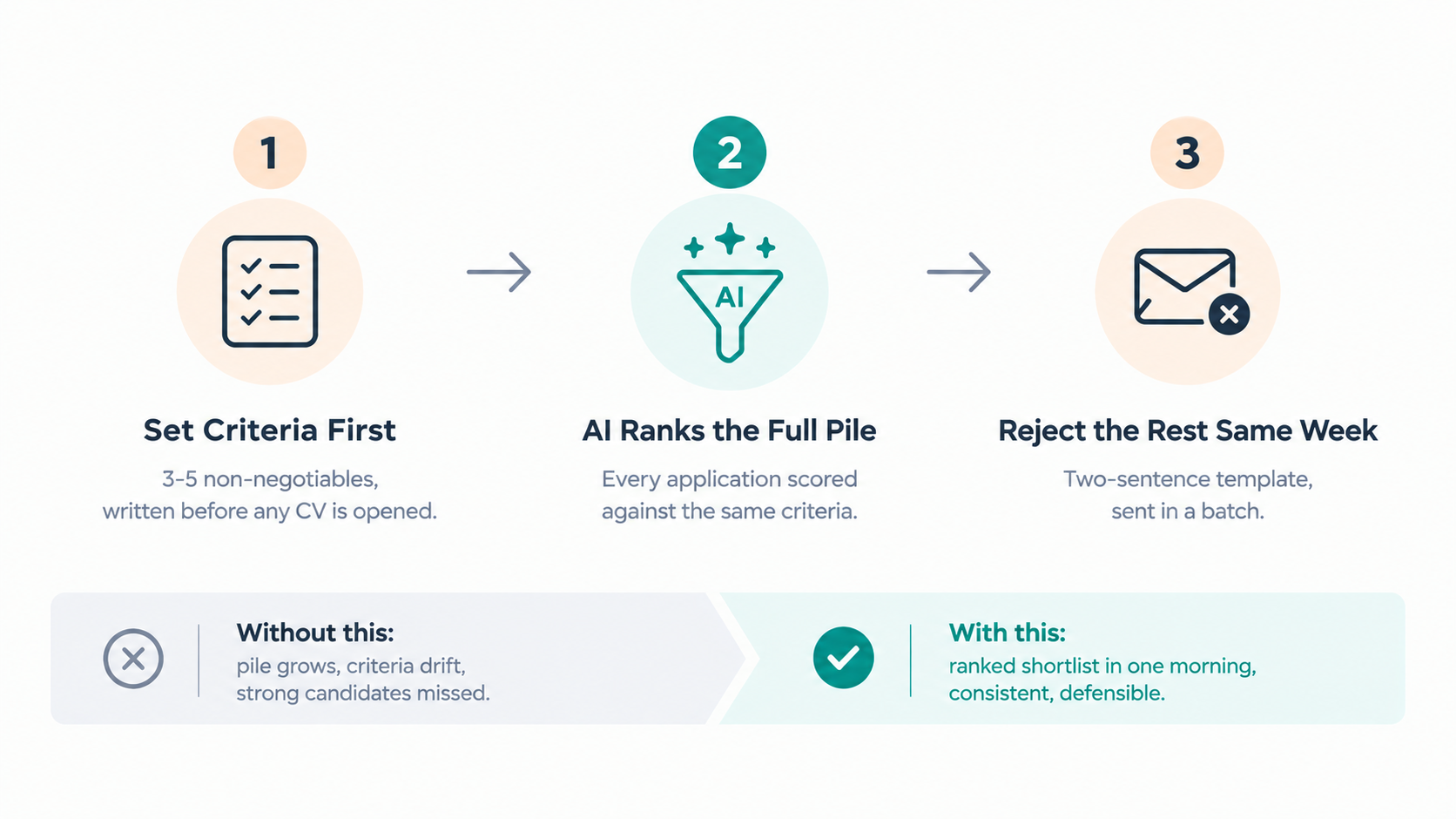
Marketing roles at agencies generate large application piles and land on whoever has the most available time that week.
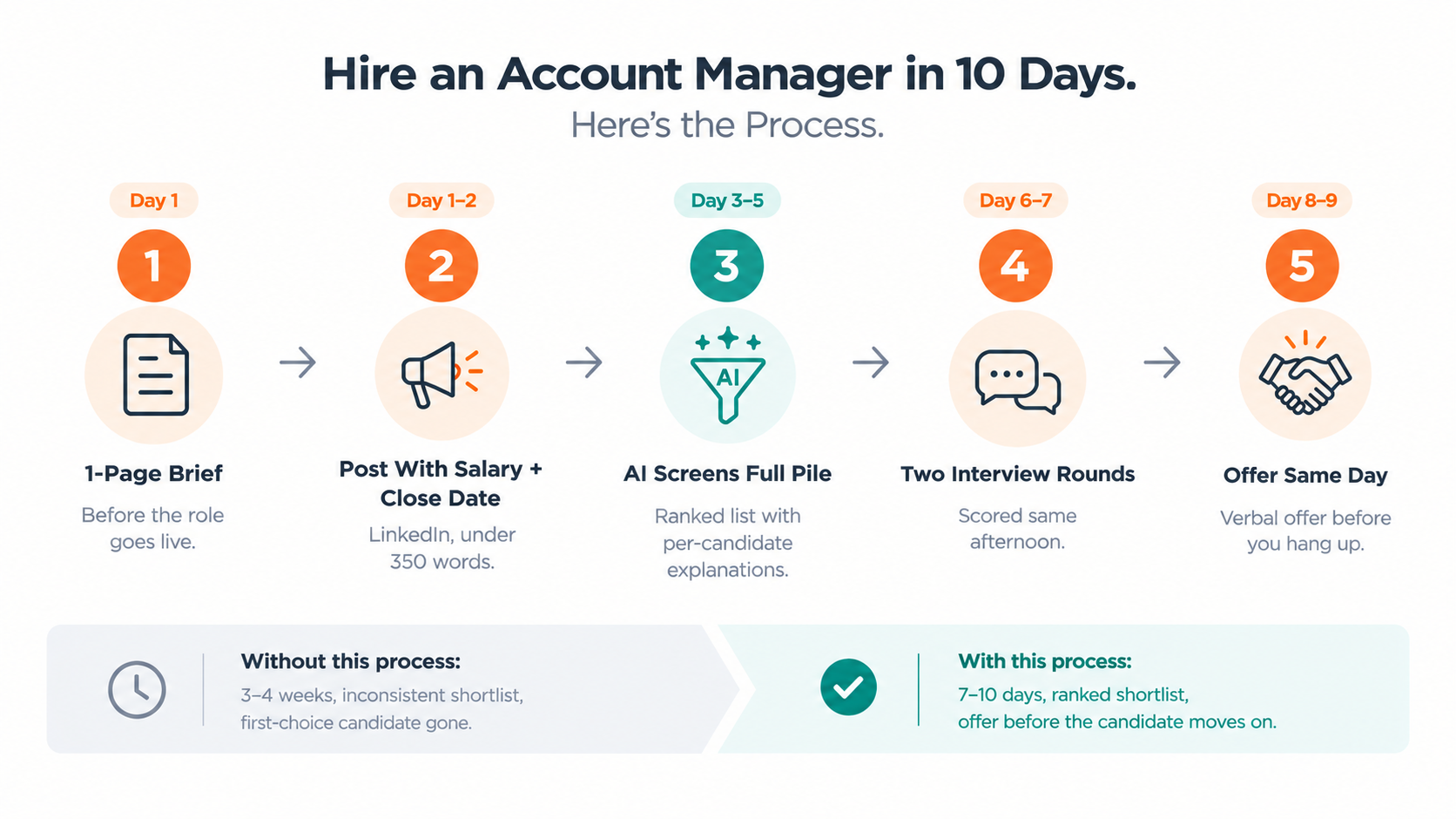
Account manager is the most common hire at a growing agency, and the one that most often goes wrong.
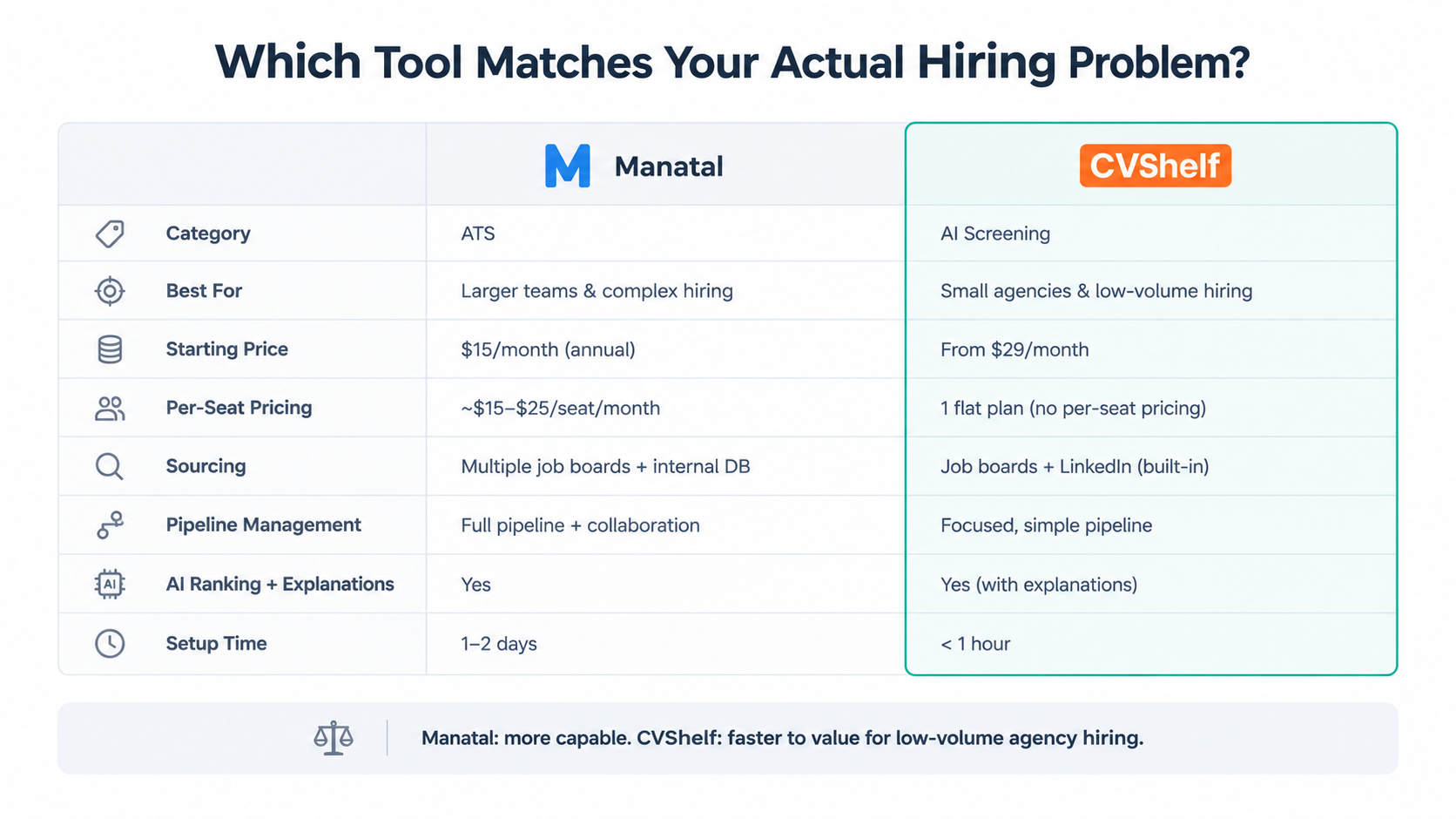
This post is for founders and MDs at 10 to 100-person marketing or creative agencies who are considering Manatal, or trying to decide whether Manatal is the right fit at all.
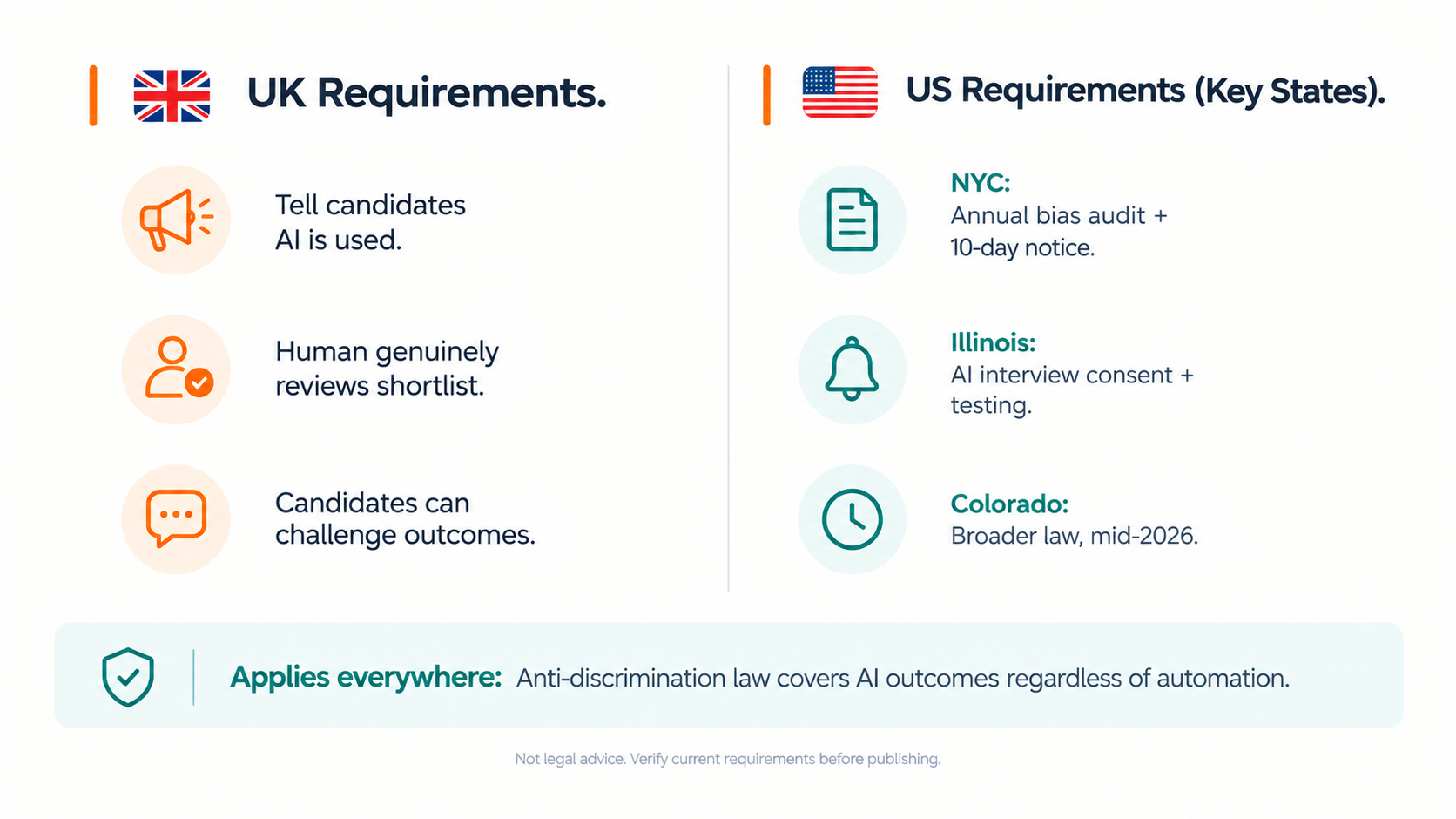
AI hiring compliance for agencies in 2026 means different things depending on where you're based and where your candidates are.
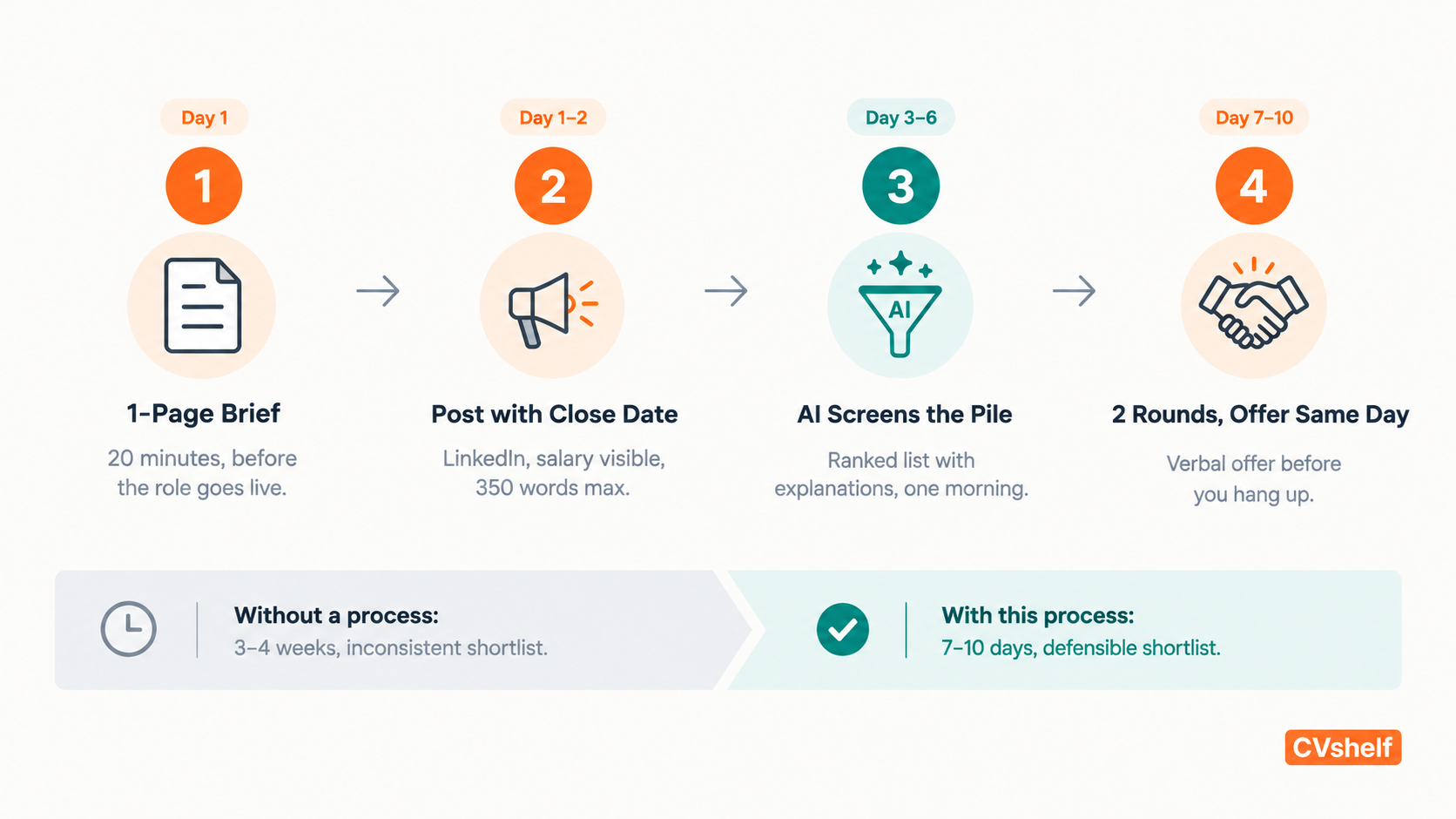
Most agencies under 100 people have no HR team.
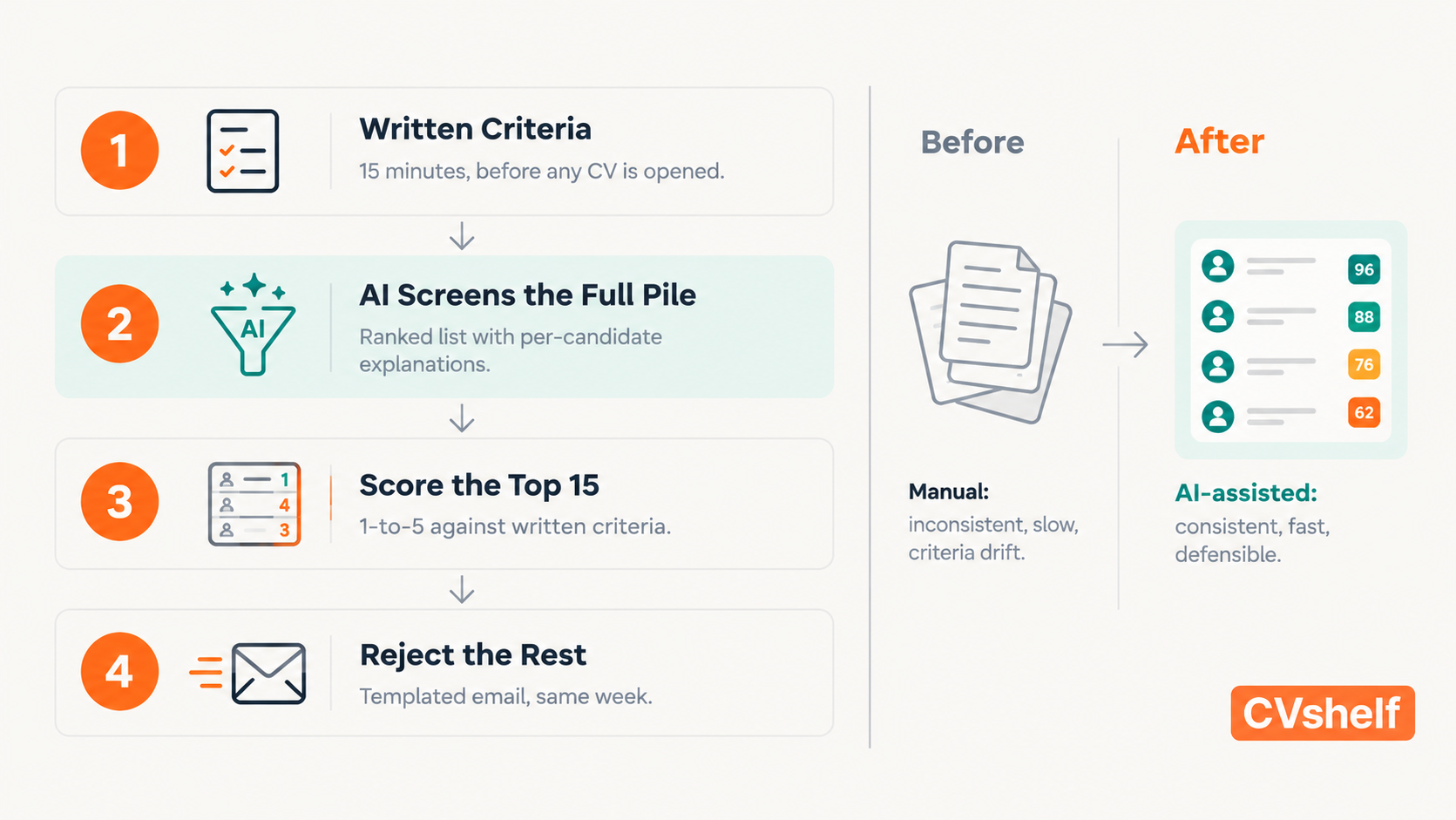
Most candidate screening tools were built for companies with dedicated recruiters and established hiring pipelines.
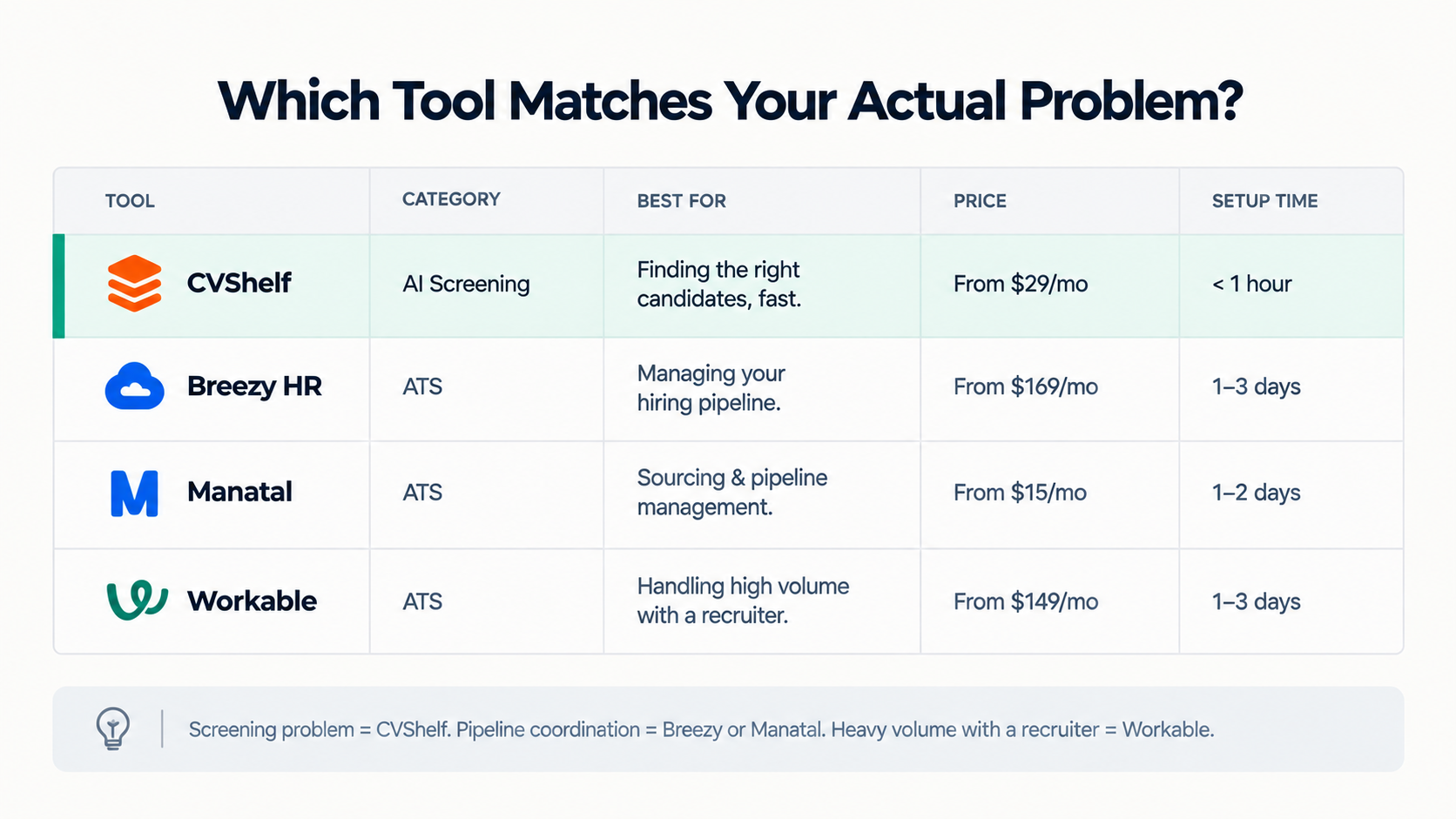
This post is for founders and MDs at 10 to 100 person marketing or creative agencies.
AI resume screening is legal in the UK.
Topics