
Bulk Resume Screening: How to Handle 500+ Applications
Posting a job in 2026 means getting buried in applications. This guide walks through a practical 5-step system for bulk resume screening.
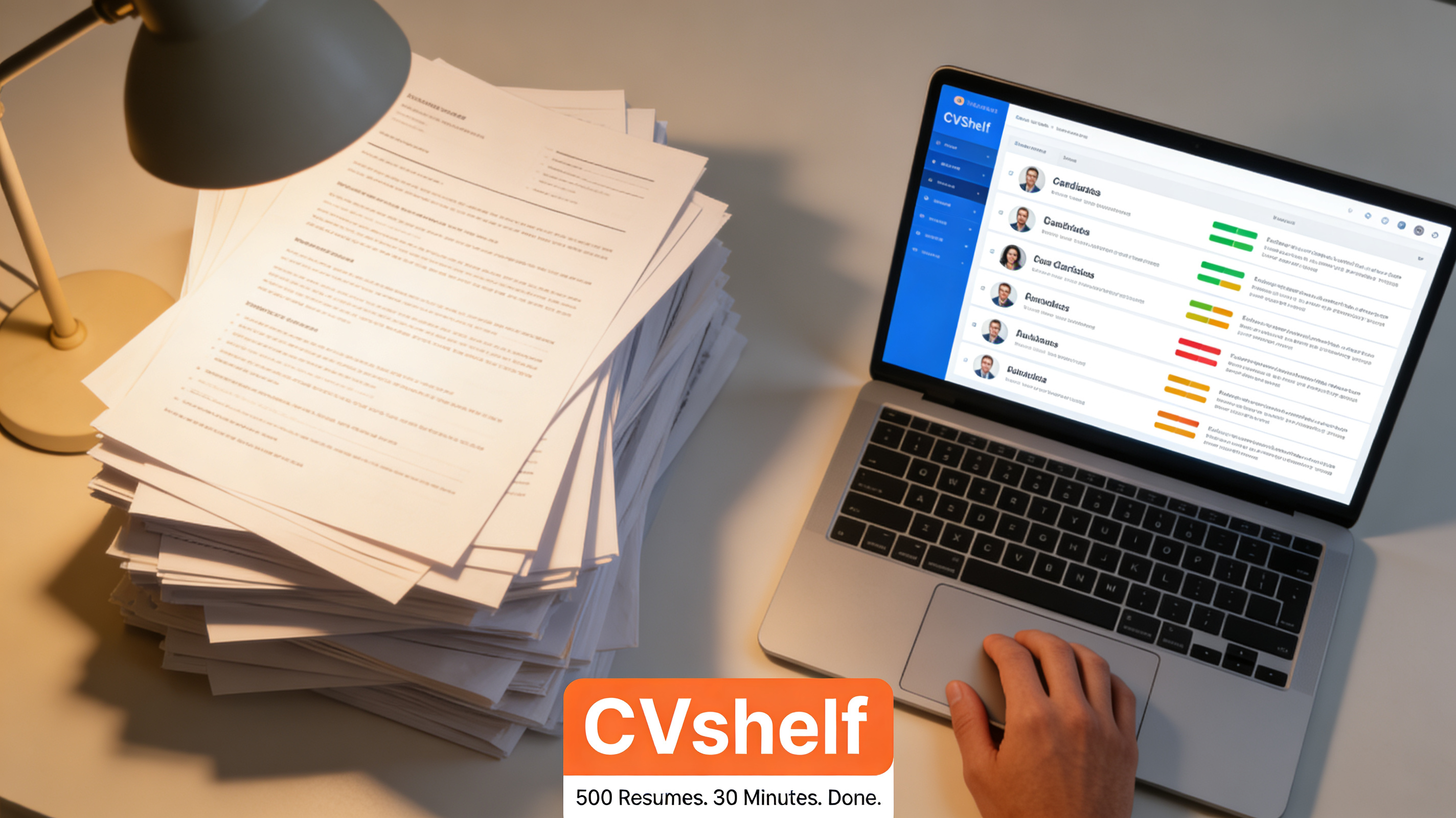
This Is What 500 Resumes Actually Looks Like
You post a role on Monday morning. By Wednesday afternoon, you have 500 applications.
Not 500 good ones. A realistic breakdown looks something like this: 80 are genuinely strong matches, 150 are plausible but need a closer look, 200 are off-target but took the time to apply, and 70 are so far outside the job criteria you're not sure how they found the listing.
Your job, technically, is to read all 500 and find the 80.
In practice, here's what actually happens. You read carefully for the first 40 or so. Then your attention starts to drift. By resume 100, you're skimming. By resume 200, you're pattern-matching on company names, job titles, and the rough length of the document. By resume 300, you're making decisions in seconds that should take minutes. By 400, you're just looking for a reason to say no.
This is not a personal failure. It's a predictable outcome of asking a human brain to do repetitive cognitive work at volume without any support.
The good candidates who don't have a recognisable employer name or who format their resume differently from your mental template? They get filtered out. Not because they're weak. Because you were on resume 347 and your brain was already done.
This is the real cost of bulk hiring without a system.
Why Manual Bulk Screening Fails
Manual screening at volume fails for three compounding reasons.
Time. A thorough resume review takes 5 to 7 minutes per candidate. At 500 applications, that's 40 to 60 hours of work. A full work week, just on screening, before a single interview has been booked.
Most recruiters don't have 40 hours to give to one role. So they cut corners. Reviews get faster, criteria get inconsistent, and the process degrades.
Cognitive load. Human decision-making quality drops significantly with repetition and fatigue. Research in similar contexts consistently shows that early candidates in a review batch are evaluated more carefully than later ones. The 400th resume is not getting the same attention as the 10th. The candidate who applied on Tuesday afternoon is at a structural disadvantage compared to the one who applied Monday morning.
Inconsistency. When two recruiters screen the same 100 resumes independently, their shortlists rarely match more than 50 to 60 percent. Screening criteria that aren't written down and applied uniformly will drift. Different reviewers weight experience differently. Formatting preferences sneak in. Unconscious pattern-matching favours familiar backgrounds.
None of this produces a reliable shortlist. It produces a shortlist that reflects who reviewed what, on which day, with how much energy left in the tank.
You need a system. Here's one that works.
A 5-Step System for Bulk Resume Screening
Step 1: Define Pre-Filter Criteria Before You Open a Single Resume
Before touching the application pile, write down your hard requirements. These are the non-negotiables: must-have qualifications, specific certifications, location or right-to-work requirements, minimum years of experience in a relevant role.
Keep this list short. Three to five criteria maximum. If something isn't actually a dealbreaker, don't put it on the list. The goal is to narrow a field of 500 to something manageable, not to build an exhaustive rubric.
Write these down. Do not hold them in your head. Written criteria applied consistently outperform mental criteria every time.
Step 2: Build a Structured Scoring Framework
For the candidates who pass your pre-filter, score them against a consistent set of criteria: core technical skills, relevant experience level, indicators of progression or achievement, and role-specific markers that matter for this particular position.
Assign weight to each criterion based on importance. A 5-point scale works. Keep the total simple. The goal isn't a perfect quantitative model. It's consistent, repeatable evaluation that you or a colleague could replicate tomorrow.
Step 3: Use AI-Assisted Ranking to Process the Volume
This is where the system changes scale. AI screening tools can apply your job criteria to every resume in the pile simultaneously, produce a ranked list, and flag candidates worth reviewing, all in a few minutes.
The AI doesn't replace your judgment. It handles the mechanical work of reading and initial sorting so your judgment can be applied where it matters: the top of the ranked list, not spread thinly across 500 applications.
A good AI screening tool also explains its rankings. You should be able to see why candidate A ranked above candidate B, and push back on that ordering when the context warrants it.
Step 4: Human Review of the Top 20
Once you have a ranked, explained shortlist, invest your full attention in the top 20 to 25 candidates. Read these carefully. Check the AI's reasoning. Look for context the system might have missed (a career gap that has a legitimate explanation, non-traditional experience that maps well to the role, signals of quality that don't surface in keywords).
This is where human judgment is genuinely valuable. Not spread across 500 resumes, but concentrated where it changes outcomes.
Step 5: Document Your Decisions
For every candidate you move forward or pass on, note the reason. This serves three purposes: it keeps your process defensible for compliance purposes, it helps you calibrate your criteria for the next role, and it gives later reviewers or hiring managers context for your shortlist.
A one-line note per candidate is enough. It doesn't need to be a full evaluation. Just enough to explain the call.
Setting Up CVShelf for Bulk Screening
CVShelf is built for exactly this workflow. Here's how setup works in practice.
Step 1: Import your job description. Paste it directly into CVShelf or import from LinkedIn. The AI uses this to understand what you're hiring for, so the more specific the job description, the sharper the ranking.
Step 2: Upload your resumes in bulk. CVShelf accepts PDFs, Word documents, and bulk zip files. No manual data entry. Upload the full pile at once.
Step 3: Get your ranked list. CVShelf processes every resume against the job criteria and returns candidates in ranked order. Each candidate gets a score and an explanation of what the AI found and what's missing.
Step 4: Review and adjust. Look at the top candidates. Read the explanations. Override rankings where you have context the AI doesn't. Move your shortlist forward into your pipeline or ATS.
The setup for a new role takes under 10 minutes. The screening of a 500-resume batch takes a few minutes more. The output is a ranked, explained shortlist you can work from immediately.
Pricing starts at $29/month. No implementation process, no training required.
When to Use Bulk Screening vs Staged Screening
Not every role needs a bulk screening approach. Here's how to choose.
Use bulk screening when:
You're receiving more than 50 applications for a single role
The role is high-volume or entry-to-mid level with a large applicant pool
You're running multiple open roles simultaneously and need speed
Application quality is highly variable and sorting takes significant time
Use staged screening when:
You're hiring for a senior or highly specialised role with fewer applicants
The candidate pool is small enough to review carefully without volume pressure
You're sourcing proactively and already have a pre-qualified list
For most in-house HR teams and recruiting agencies dealing with open job posts, bulk screening is the default situation. Staged screening is the exception for roles where the funnel is narrow by design.
When in doubt: run the AI screen first regardless of volume. Even for a 40-resume pile, the time saving and consistency benefit is worth the two minutes of setup.
Handle Any Volume Without Burning Out
Bulk resume screening doesn't have to mean a week of manual reading and inconsistent shortlists. With a clear system and the right tool, you can process 500 applications in a morning and start interviewing the same afternoon.
The system is simple: define your criteria, use AI to sort the volume, apply human judgment to the top of the list, and document your calls.
CVShelf handles the AI layer. The rest takes an hour.
Handle any volume. Try CVShelf free at cvshelf.com. No complex setup required.
Keep Reading
More from AI Resume Screening.
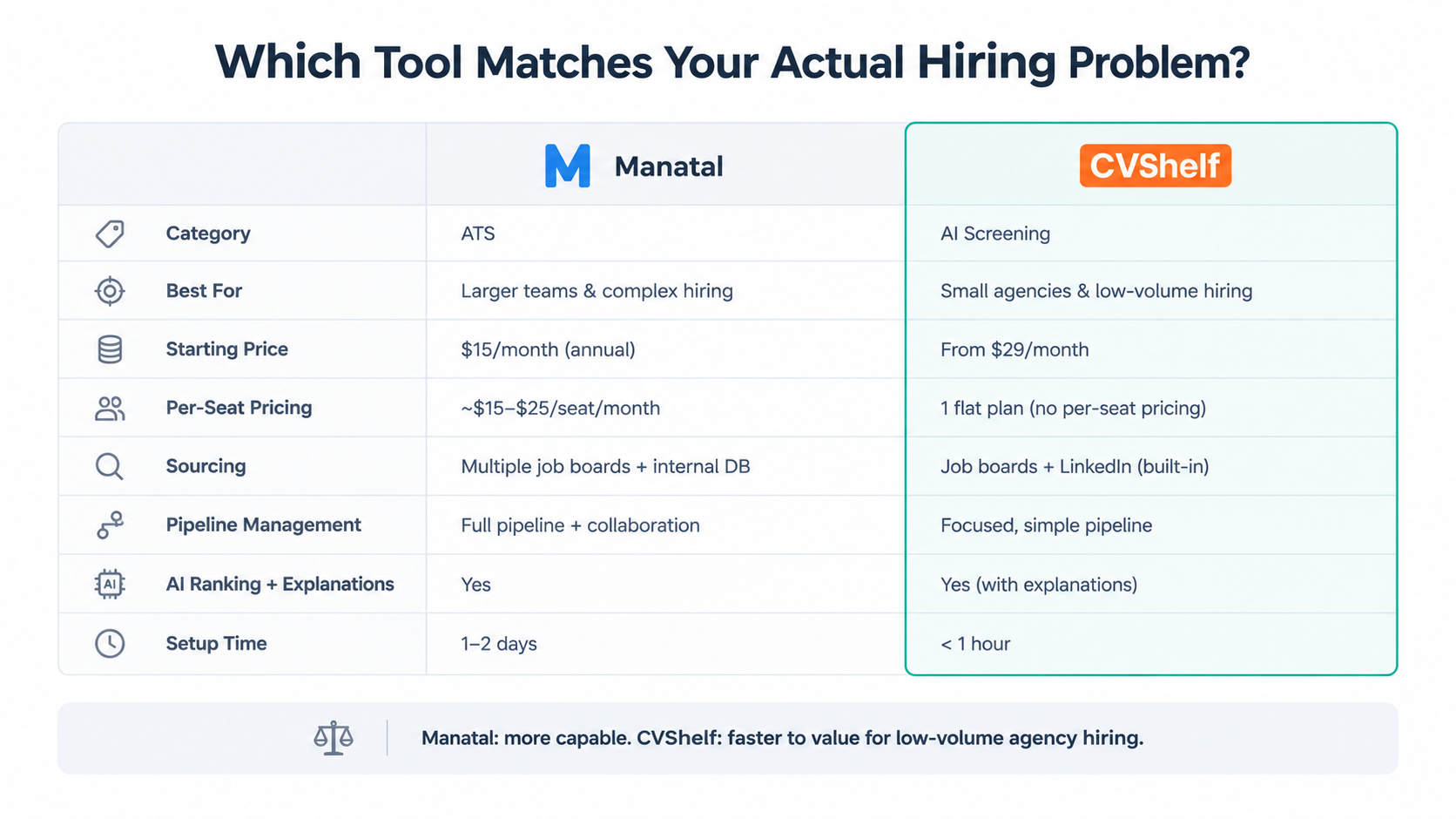
Manatal Alternative For Small Agency
This post is for founders and MDs at 10 to 100-person marketing or creative agencies who are considering Manatal, or trying to decide whether Manatal is the right fit at all.
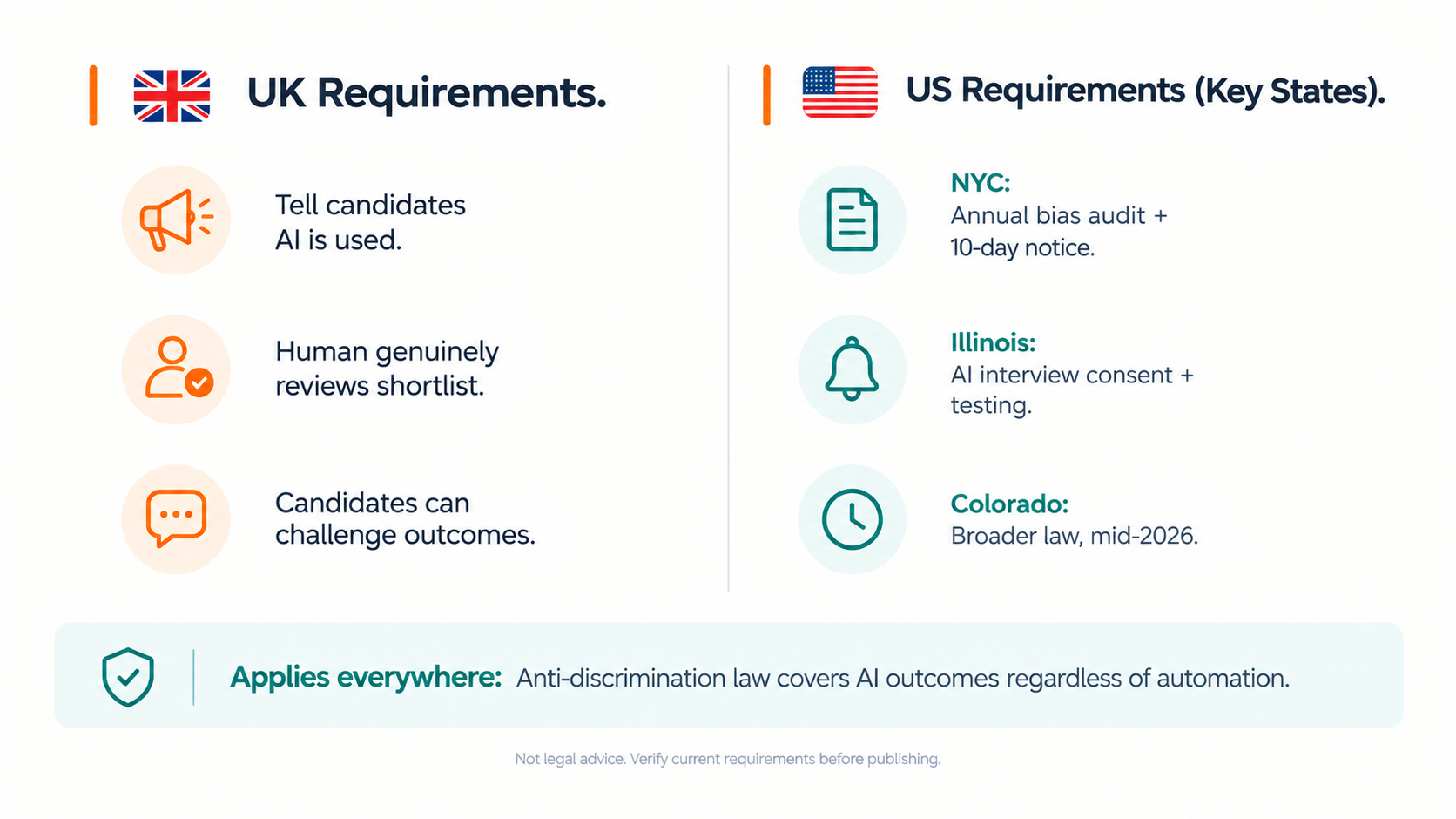
AI Hiring Compliance For Agencies
AI hiring compliance for agencies in 2026 means different things depending on where you're based and where your candidates are.
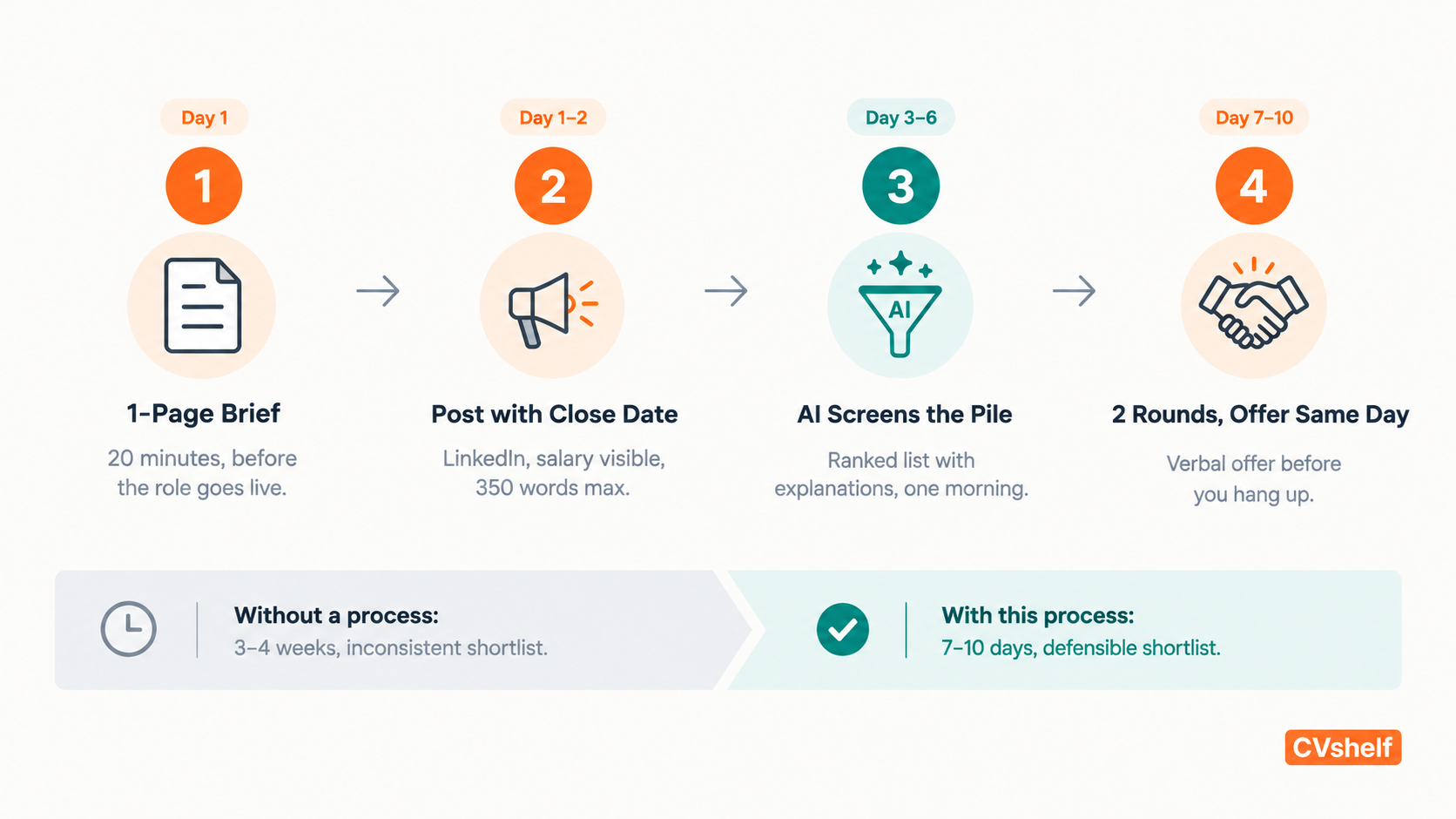
Hiring Without an HR Team: How Agencies Actually Do It
Most agencies under 100 people have no HR team.